Classic Nonogram
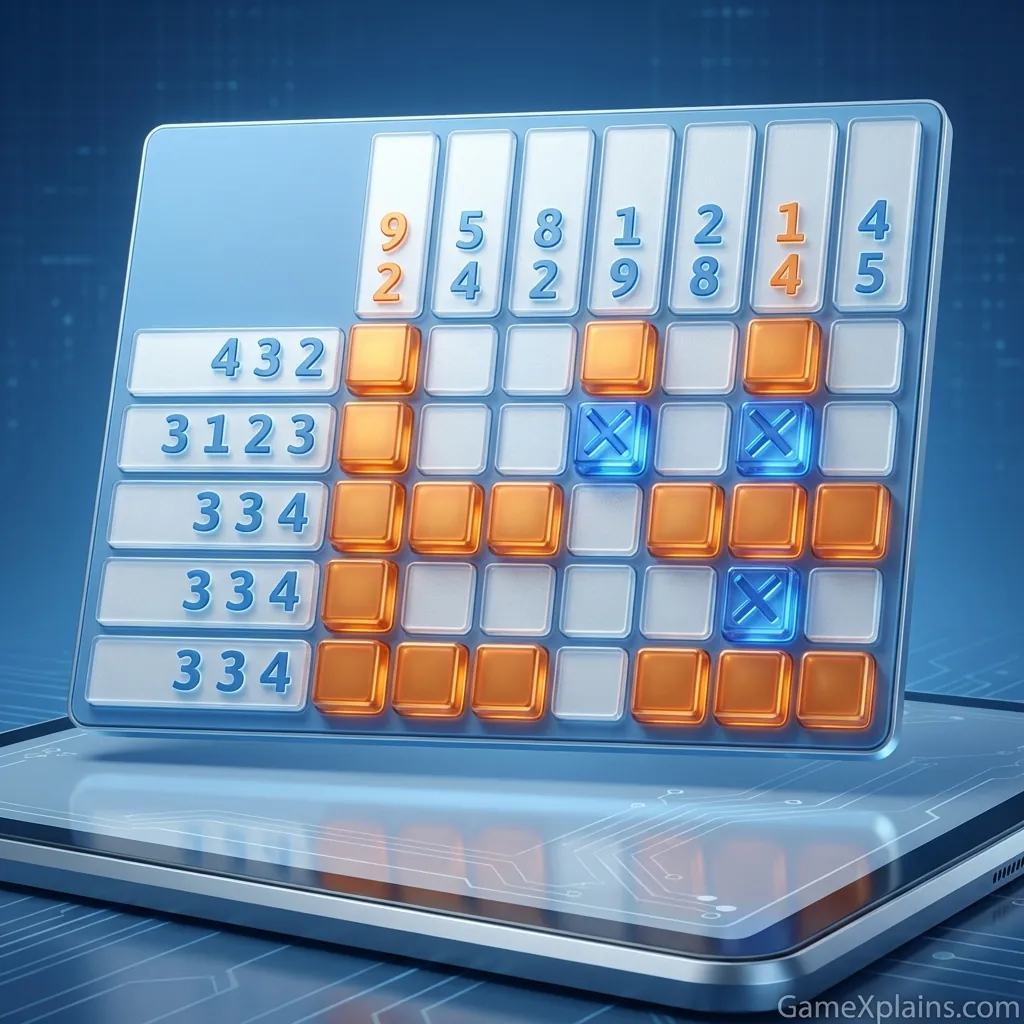
About This Game
Classic Nonogram (Play + Guide)
1. Introduction
Classic Nonogram is a logic picture puzzle where number clues tell you exactly which cells to fill and which to leave blank. The satisfaction comes from turning uncertainty into certainty, one row and column at a time, until a hidden pixel image appears.
Play Classic Nonogram online now and use the guide below to avoid common traps and finish grids faster.
This is an HTML5 game that runs in a modern browser on desktop or mobile.
2. Key Features
Picross style grids that reward careful deduction instead of guessing.
Clear number clues per row and column that narrow options step by step.
Marking tools for filled cells and X marks to prevent accidental mistakes.
Difficulty that typically scales with larger boards and denser clue patterns.
Quick restarts and undo options in most versions for safer experimentation.
Short, satisfying sessions that fit a break without long commitments.
3. What is Classic Nonogram?
Classic Nonogram is a number driven puzzle loop: read the clues, mark guaranteed cells, and iteratively resolve conflicts until the picture is complete. Each row and column lists groups of filled cells, in order, separated by at least one empty cell.
The tactical dynamic is all about managing ambiguity. Early on you lock in “must fill” segments, then you use exclusions (X marks) to prevent overfilling. What differentiates a nonogram from many other grid games is that every correct solution is logically forced, assuming you avoid random guesses and track your marks carefully.
4. How to Play
Your objective is to fill the correct cells so every row and column matches its clue numbers. You lose progress mainly by making mistakes that force contradictions, or by running out of patience and restarting.
Rules in plain terms:
Each clue number is a consecutive block of filled cells.
Multiple numbers in a line mean multiple blocks, in that order.
Blocks must be separated by at least one empty cell.
Empty cells are often marked with an X (or dot) to show “do not fill.”
Progression and pacing:
Smaller grids teach basic spacing and overlap logic.
Larger grids add more midline deduction, cross checking, and longer block chains.
In most versions, you can undo or toggle marks, which encourages careful trial marking.
Controls (typical browser setup)
Action | Desktop (Mouse) | Mobile (Touch) |
|---|---|---|
Fill a cell | Left click a square | Tap a square |
Mark empty (X) | Right click or toggle to X mode | Long press or switch to X mode |
Switch tool mode | Tool buttons, hotkey if available | Tool buttons |
Undo or revert | Undo button, sometimes Ctrl+Z | Undo button |
Restart puzzle | Restart button | Restart button |
Experience cue: If you keep flipping a cell between filled and X, pause and re read that row’s spacing rule before you commit.
5. Core Gameplay Mechanics
1) Main system
When you apply a row or column’s clue numbers to the available spaces, the game lets you place guaranteed filled cells where all valid placements overlap. This is your safest first move. As you confirm fills, you then confirm empties around them, because each block must have boundaries and separation.
2) Tactical dynamics
When a line has more clue length than flexibility, use overlap logic: place the block at its far left and far right possible positions, then fill the cells that appear in both. When you see a completed block, immediately X out the required separator cell next to it (unless the edge ends the line).
3) Progression and scaling
As puzzle size increases, you spend less time on obvious overlaps and more time on cross checking. A single confirmed X can eliminate many placements in perpendicular lines. Denser clue sets usually create fewer legal layouts, which speeds late game solving, but the mid game can feel slow unless you track “finished lines” and stop revisiting them.
4) Key elements
Your key resources are information and error prevention. Filled cells advance line completion, X marks protect you from accidental extra fills, and “line complete” indicators (in some versions) reduce scanning time. The common fail state is a contradiction caused by overfilling early, which forces a restart or heavy undo use.
Decision Flow (Quick Solve Rule) Is the line length tight (little free space)? Yes -> Use overlap -> Place forced fills -> Add boundary X marks No -> Any blocks already confirmed? Yes -> Lock separators -> Update crossing lines -> Recheck overlaps No -> Find a line with biggest clue sum -> Work that line first
Experience cue: If a row looks “done,” quickly count blocks and separators, then stop touching it.
6. Strategies
Overlap First Pass: Start with lines where the clue sum nearly fills the line. Mark the overlap cells that are guaranteed, then immediately add X marks at block boundaries when they become certain. This works because it creates early anchors for many intersections. Warning: do not assume edges are filled unless overlap proves it.
Separator Discipline: Every time you confirm a full block, mark the forced empty cell next to it, unless the block hits the edge. This prevents slow, silent errors where you accidentally extend a block later. Warning: if the line still has remaining blocks, ensure you leave enough space before locking separators.
Cross Check Chains: After any meaningful update, scan the crossing lines that touch your new fills and X marks. A single X can rule out placements and force overlaps elsewhere. This works because nonograms reward propagation, like dominoes. Warning: avoid bouncing between random lines, focus on the ones most constrained.
Work Biggest Clue Sum: When stuck, pick the row or column with the largest total filled cells (including separators between blocks). These lines have fewer valid layouts, so they reveal forced cells sooner. Warning: a large sum with many tiny blocks can still be ambiguous, so confirm with crossings.
Use Temporary Marks Carefully: If your version supports light pencil marks or tentative fills, use them only to test a single hypothesis, then clear them fast. This keeps your board readable and reduces mental load. Warning: too many temporary marks become noise and slow you down more than they help.
Finish Lines to Reduce Noise: Treat “line complete” as a milestone. Once a row or column is fully satisfied, X out the rest of its empty cells and mentally retire it. This works because it shrinks the active problem. Warning: if you are unsure, re count the block lengths before declaring it finished.
Experience cue: If you feel stuck for more than a minute, switch to scanning columns instead of forcing the same row.
7. Similar Games
8. FAQ
How to play classic nonogram?
You play by using the number clues on each row and column to decide which squares to fill. Each number is a block of filled cells, and multiple numbers mean multiple blocks separated by at least one empty cell. Mark empty squares with X to prevent mistakes and cross check intersections often.
Are Nonograms good for your brain?
Yes, nonograms are generally good for cognitive skills like attention, working memory, and logical deduction. The puzzle forces you to plan, test constraints, and avoid impulsive guessing. Like any brain training, the biggest benefit comes from consistent practice and gradually increasing difficulty.
Is nonogram the same as Hanjie?
Yes, in most contexts nonogram and Hanjie refer to the same type of picture logic puzzle. You may also see it called Picross. Different apps can vary in UI tools, hint systems, or puzzle packs, but the underlying rule set, block clues, and separation logic are the same.
Is a nonogram like a minesweeper?
Not exactly. A nonogram is a deterministic picture puzzle where clues define blocks in each line, while Minesweeper uses numbers to indicate adjacent mines. Both reward careful marking and pattern reading, but nonograms typically avoid guessing if solved logically, whereas Minesweeper can sometimes force probability decisions.
What is a Classic nonogram solver?
A classic nonogram solver is a tool or feature that helps complete a puzzle by applying deduction rules automatically. Some solvers offer step hints, like highlighting an overlap or a forced X, while others can fully solve the grid. If you use one, treat it as a learning aid, not a shortcut.
Can I play Classic nonogram online free?
Often, yes. Many sites offer Classic nonogram online free as a browser puzzle, and some versions also have app editions with extra packs. Availability, saving, and hint systems vary by version, so if you rely on progress save, test it on a small puzzle first before committing to a long grid.
9. Technical
Classic Nonogram is typically an HTML5 game (and may use WebGL for rendering effects, depending on the build). You can usually play it as an online/browser game on Chrome, Firefox, Safari, or Edge.
Performance and specs:
Most mid range laptops and phones should run it smoothly.
If taps feel delayed, close background tabs and disable heavy browser extensions.
Inputs:
Mouse clicks or touch taps for filling and marking.
Tool buttons for switching between fill and X modes.
No installation is usually required for the browser version, so it is commonly a no download puzzle experience.
Related categories to explore If you enjoy deduction heavy grids, try Logic.
If you want more pattern based challenges, browse Puzzle.
Also, if you are searching for Classic nonogram online, make sure your browser zoom is at 100% so the grid does not mis register clicks.
10. Final Verdict
Classic Nonogram is a clean, satisfying logic puzzle that rewards careful overlap work, separator discipline, and cross checking. It is great for players who like Sudoku style deduction but want a visual payoff. Its main limitation is that frustration spikes if you guess early and create contradictions, so deliberate marking matters more than speed.
If you want a steady, no download online/browser game for short sessions or longer deep solves, Classic Nonogram fits well. Try one small grid, then scale up once your marking habits feel automatic.
Classic nonogram free versions often differ in hints and saving, so test those features quickly before starting a large puzzle.
Comments (0)
No comments yet. Be the first to share your thoughts!