Free Kick Football: 3D Soccer
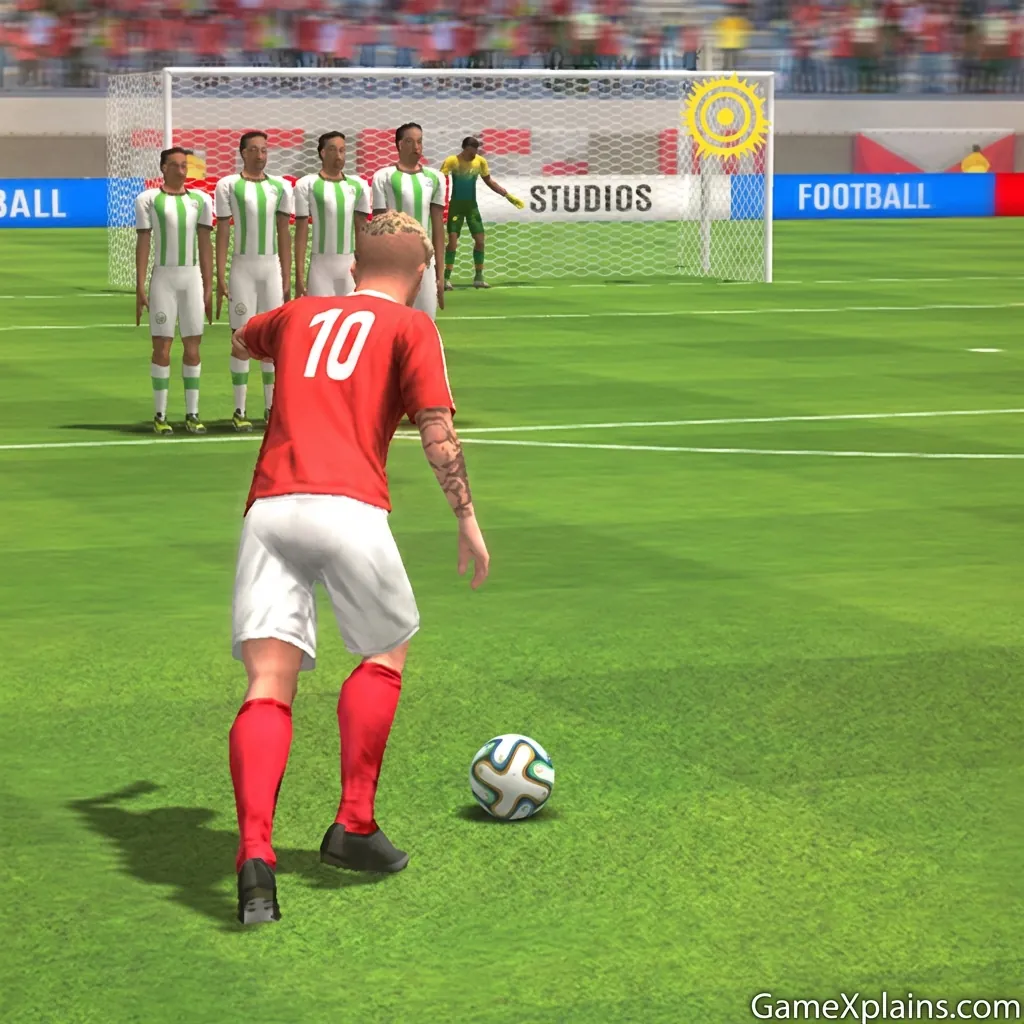
About This Game
Free Kick Football: 3D Soccer (Play + Guide)
1) Introduction
Free kicks look simple until you miss three in a row, then you realize the whole game is about reading the keeper, choosing a target, and controlling your swipe. Free Kick Football: 3D Soccer is built around quick, repeatable set piece attempts where small aiming errors add up fast.
Play Now: Jump in and take your first shot immediately, then use the tips below to tighten your timing.
In most web versions, it runs as an HTML5 game (may use WebGL) and typically plays smoothly in a modern browser.
2) Key Features
Swipe to aim and bend shots, then manage power so the ball stays on frame.
Quick round structure with frequent retries, ideal for short sessions.
Goalkeeper reactions reward varied placement instead of repeating one corner.
Target zones and clean strikes usually score higher than risky blasts.
Simple control scheme that works on mouse or touch screens.
Difficulty often ramps by shrinking targets or improving keeper reads.
3) What is Free Kick Football: 3D Soccer?
Free Kick Football: 3D Soccer is an online/browser game focused on one loop: line up a free kick, choose your strike path, and score consistently across a series of attempts. The tactical dynamic is decision-heavy despite the simple controls, you are balancing placement, curve, and power while anticipating a keeper that may start adapting.
What sets it apart from a full match soccer title is pacing. You do not manage passing lanes or stamina. You repeat a high pressure moment, which makes practice-driven improvement feel obvious. If your shot keeps drifting wide, you can fix it in the next attempt immediately.
4) How to Play
The goal in Free Kick Football: 3D Soccer is to score as many free kicks as you can within the attempt set the game gives you. Most versions award points for goals, with bonus points for hitting marked targets or finishing cleanly into corners. You usually fail an attempt by missing the goal, hitting the wall, or being saved by the goalkeeper.
Progression typically comes from increasing challenge, such as tougher keeper behavior, smaller target zones, a tighter timing window on your swipe, or more obstacles like a taller wall. Some versions also add cosmetic unlocks, but do not rely on that as a core system unless you see it in your build.
Controls (table)
Action | Keyboard / Mouse | Touch |
|---|---|---|
Aim shot | Click and drag to set direction | Drag to set direction |
Add curve (swerve) | Drag in an arc while shooting | Swipe in an arc |
Control power | Longer drag usually adds power | Longer swipe usually adds power |
Retry next kick | Click prompt button | Tap prompt button |
Practical cue 1: If your ball keeps sailing over the bar, shorten the final part of your swipe so power stays controlled.
5) Core Gameplay Mechanics
1. Main system
When you draw your shot path (or aim marker) and release, the game converts your swipe into a direction plus power, and often a curve component. A clean, straight swipe usually creates a driven shot, while an arcing swipe tends to add bend. The keeper then reacts based on your placement and timing.
2. Tactical dynamics
When you see the wall covering your favorite lane, aim for a corner that forces a late keeper move. If the keeper starts saving your usual side, switch placements and change height. Keep your shot selection mixed, because repeating the same top corner attempt makes your misses predictable even if the game is not explicitly “learning.”
3. Progression and scaling
As you advance, the difficulty usually ramps by tightening accuracy requirements. Targets may shrink, the keeper may dive earlier, or the wall positioning may remove easy angles. Your margin for error in the timing window can also shrink, meaning the same swipe speed produces different results unless you keep your motion consistent.
4. Key elements
Key elements are the wall, keeper, target zones, and your power control. Obstacles are often “binary,” a wall hit or a save ends the attempt. The main risk-reward choice is aiming for high value corners versus taking safer shots to build a stable score.
6) Strategies
Corner First Placement
Aim low or mid to a corner before you chase highlight curls. It builds repeatable accuracy and keeps the ball on frame. Why it works: corner shots reduce keeper reach and avoid central saves. Warning: do not over-aim wide, it turns easy goals into misses.
Two-Speed Swipes
Use a smooth start, then a controlled finish, rather than one fast whip. Why it works: the end of your swipe often sets final power and angle. Warning: if you slow down too much, your shot can become weak and easier to save.
Wall-Beater Arc
Draw a modest curve that starts toward the wall, then bends away late. Why it works: it changes the keeper’s read and slips around defenders. Warning: huge arcs look cool but frequently end up off target unless your version is very forgiving.
Keeper Pattern Break
After two similar saves, change both height and side. For example, swap from top right attempts to a low left finish. Why it works: many 3D freekick football game builds feel more consistent when you vary placement. Warning: do not change everything at once if you are still missing the frame.
Target Over Power
If your build includes point targets, prioritize hitting them with medium power. Why it works: targets reward precision more than raw velocity, and medium power reduces over-shooting. Warning: if the keeper is aggressive, add a bit more pace so it cannot reach slow rollers.
Late Adjust Micro-Swipe
Make your final swipe segment shorter and more deliberate for accuracy. Why it works: micro control helps when the timing window tightens. Warning: if the shot dribbles, lengthen slightly while keeping the same angle.
Decision Flow (Quick Win Rule)
Missed last shot? Yes -> Was it high? -> Shorten swipe end -> Aim lower No -> Was it wide? -> Reduce curve -> Aim closer to post Saved? Yes -> Change side and height -> Use medium power No -> Keep placement -> Repeat motion consistently
Practical cue 2: If the keeper dives early every time, shoot lower with medium power, it often beats “early hands.”
7) Similar Games
8) FAQ
What free kicks are allowed in mini soccer?
Direct and indirect free kicks are typically allowed, depending on the ruleset. In many mini soccer formats, fouls inside the penalty area become penalties, while fouls outside create free kicks with a defensive wall. Specific distance, wall placement, and restart timing can vary by league and tournament.
How to play 3D free kick?
You usually aim by dragging or swiping to set direction, then control power by swipe length and speed. Many 3D free kick games online also let you add curve by drawing an arc. Start with medium power and corner placement, then add bend once you can keep shots on target.
Whose free kick is best?
There is no single objective “best” free kick, because style depends on the situation. Players like Lionel Messi, Cristiano Ronaldo, and Juninho Pernambucano are often discussed for different strengths, such as placement, knuckle shots, or heavy curl. In a game, consistency matters more than imitation.
Which game has free kick?
Many soccer titles include free kicks, including full match games and set-piece focused games. If you want a dedicated loop, look for free kick soccer game modes in flick shooters, penalty titles, or training mini-games. Free Kick Football: 3D Soccer is one of the simpler options for quick attempts.
Is a free kick soccer game good for practice?
It can help with the concept of aiming, timing, and shot selection, but it will not perfectly translate to real kicking technique. Use it to learn decision-making, such as when to go for a safe corner versus a risky top bin. Treat physics differences as “game rules,” not real biomechanics.
Can you play free kick games offline?
Some mobile versions support offline play, but many browser builds require an internet connection to load. If you want free kick Games offline, check the app listing details and test airplane mode. Browser play is often a no download experience, but it still needs a connection to start.
9) Technical
Free Kick Football: 3D Soccer is commonly presented as an online/browser game that runs as an HTML5 game (may use WebGL for 3D). Chrome, Edge, Firefox, and Safari are usually reliable choices. Most mid-range devices should run it smoothly, but older phones may struggle with 3D camera motion.
If you are playing in a browser, it is typically no download, you just load and play. If your version offers a prompt like “install,” that is optional in most cases. Controls are generally mouse or touch, and a stable frame rate matters for consistent swipe timing.
Practical cue 3: If your swipes feel inconsistent, switch to a lower browser zoom level and close extra tabs to reduce input lag.
10) Final Verdict
If you want a focused set-piece challenge, Free Kick Football: 3D Soccer is a solid free soccer game because it turns one skill into a repeatable practice loop. Its strengths are quick restarts, simple controls, and that satisfying moment when your curve beats both wall and keeper. Its limits are variety and long-term depth, which depend heavily on the version you are playing.
If you like Free Kick Football: 3D Soccer, you may also enjoy exploring more Sports games.
Comments (0)
No comments yet. Be the first to share your thoughts!