Machine Room Escape
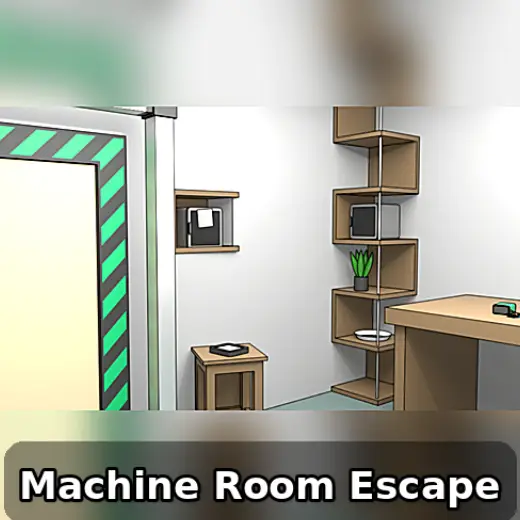
About This Game
Machine Room Escape: Play + Guide
1. Introduction
Machine Room Escape is an escape room style online/browser game built around observation, item logic, and step-by-step puzzle chaining in a compact, industrial themed setting. If you like decoding panels, restoring power, and turning small clues into a clean exit plan, this guide covers how the loop works, how you fail, and how to keep your progress organized.
Play Now: Launch Machine Room Escape in your browser and use this guide to stay one step ahead.
On most sites, it runs as an HTML5 game (sometimes with light WebGL effects), so it is typically a no download experience that starts quickly.
2. Key Features
Compact escape room loop with tight pacing, minimal downtime, and clear objective focus.
Inventory driven puzzles that reward careful scanning and disciplined item management.
Machine themed clues like switches, panels, dials, and power routing, usually multi step.
Code and pattern logic that encourages note taking and checking assumptions fast.
Hint friendly structure, you can test progress by rechecking newly unlocked hotspots.
Works well as an online/browser game session, usually short, repeatable, and focused.
3. What is Machine Room Escape?
Machine Room Escape is an escape room online/browser game where your role is a problem solver trapped in a mechanical room and tasked with finding a way out. The core loop is simple: explore the room, collect items, interpret clues, and use those items to unlock new interactions, which then reveal new clues.
The tactical dynamic comes from managing attention and order. Some puzzles only make sense after you restore a system (power, access, or a machine state). Other puzzles tempt you to brute force, but the best route is to connect information across the room, then verify with a quick test. What differentiates Machine Room Escape from broader adventure puzzlers is the focused, single room style pacing and the way machine interfaces (panels, locks, and toggles) commonly gate progress in layers.
If you are searching for a Machine room escape online game walkthrough because you feel stuck, treat the room like a checklist, not a mystery. Most versions reward systematic scanning and clean note habits more than random clicking.
4. How to Play
Your objective is to escape the room by solving a chain of puzzles. You typically win when you open the final exit lock (or trigger the exit mechanism) after completing the required steps. You typically lose only in soft ways, such as getting stuck due to missed clues, misunderstanding a code, or using an item in the wrong place and having to backtrack.
Progression usually works like this:
Early: you collect basic tools or keys and identify the first locked interface.
Mid: you combine information from multiple clues, often to power or unlock a machine.
Late: you use earlier discoveries to solve a final code, sequence, or multi input lock.
Controls (Table)
Action | Keyboard / Mouse | Touch |
|---|---|---|
Look around | Move cursor, click hotspots | Tap hotspots |
Pick up item | Click item | Tap item |
Use item | Select item, then click target | Tap item, then tap target |
Inspect clue | Click to zoom or open panel | Tap to zoom or open panel |
Back out / close | Click outside or use on screen back | Tap close or back |
Practical cue: If a panel will not accept input, close it and re open after you change the room state (power, switch position, or door latch). Many escape room online/browser game puzzles only become active after a trigger.
If you are looking for a Machine room escape online game download, note that the browser version is often an HTML5 game and is usually no download, while mobile versions can be installed separately.
5. Core Gameplay Mechanics
5.1 Main system
When you click around the room, the game reveals interactable hotspots, then stores collected items in an inventory so you can apply them to locked objects. The game usually checks for a correct item and correct target pairing, then updates the room state by opening a compartment, changing a machine setting, or revealing a clue.
5.2 Tactical dynamics
When you see a lock, keypad, or dial that is not solvable yet, do not force it. Instead, scan for clue surfaces like labels, notes, warning plates, or machine markings. When a new item appears, test it on obvious bottlenecks first (panels, drawers, and access hatches), then re scan for newly activated hotspots.
Micro cue: If a screen or indicator light changes color after a switch, re inspect every machine faceplate, it often signals a new input step.
5.3 Progression and scaling
As you solve early gates, puzzles usually scale from single input actions to multi input logic. The room tends to become denser with meaning: a number that was just a label can later become a code component, and a symbol that looked decorative can become an ordering rule. Difficulty ramps by requiring cross referencing, not by randomization.
5.4 Key elements
Key elements usually include locked containers, machine interfaces (switches, dials, panels), and coded gates (keypads or sequence locks). Resources are your inventory items and your notes. Hazards are mostly cognitive: misreading a clue, skipping an inspect zoom, or forgetting where you saw a symbol. The main fail state is time loss from looping.
Decision Flow (Quick Progress Rule)
Stuck on a lock? Yes -> Do you have a new item? Yes -> Test item on panels, drawers, and machine hatches No -> Re scan all walls, desk, floor edges, and machine faces Found a code clue? Yes -> Write it down, then look for matching keypad or dial No -> Restore power or change switches, then re inspect indicators
6. Strategies
6.1 Hotspot Sweep
Do a full room sweep in a fixed pattern (left wall, back wall, right wall, floor). This prevents missing tiny interactables that block the entire chain. It works because escape room online/browser game hotspots are often small and easy to overlook. Warning: do not sweep too fast, inspect zooms matter.
6.2 Inventory Discipline
Keep your inventory “clean” by testing each new item on the few obvious bottlenecks, then stop. This reduces random clicking and helps you deduce what the game expects. It works because most escape room puzzles have a limited set of valid item targets. Warning: avoid trying every item on every object.
6.3 Code Context Check
Before entering any code, ask what kind of code it is: order, math, symbol mapping, or label reading. Then confirm the input device matches (keypad, dial, sliders). This works because the same digits can appear as labels and as true solutions. Warning: do not assume numbers are always a keypad code.
6.4 Power State Logic
Treat power like a global switch. If you flip a breaker, activate a generator, or turn a machine on, immediately revisit anything with lights, screens, or gauges. This works because the game often uses power as a gating condition for later puzzles. Warning: a powered device may require a second input.
6.5 Combine Clues, Not Guesses
If two clues share a symbol set, color, or repeated pattern, combine them into one rule set and test with a single attempt. This works because many “answers” are constructed from multiple partial hints, not one obvious note. Warning: if your first test fails, re read the ordering rule.
6.6 Backtracking Trigger
Any time you open a compartment or move a machine lever, backtrack one full sweep. New items commonly spawn in previously empty spots after a state change. This works because the game updates the room incrementally. Warning: do not forget to inspect the inside of opened compartments.
Experience cue: If you keep finding “nothing” on a wall, tap or click the edges of posters, plates, and vent covers, those are common interactable zones.
7. Similar Games
100 Doors (game/100-doors) – Door puzzles with compact rooms and code gates.
Can You Escape (game/can-you-escape) – Inventory escapes focused on chained item logic.
Cube Escape (Rusty Lake) (game/cube-escape-rusty-lake) – Surreal escape puzzles with strong clue linking.
The Room (game/the-room) – Mechanical boxes, tactile locks, and layered inspection puzzles.
If you like Machine Room Escape, you may also enjoy more Escape Room games.
8. FAQ
How to play machine escape room?
You play by exploring the room, collecting items, and using those items on locked objects to reveal new clues. The goal is to unlock the final exit by solving the puzzle chain in the correct order. If you stall, re inspect zoomable surfaces and re check panels after any switch change.
Is there an online escape room game?
Yes, there are many online escape room game options, including HTML5 game versions that run in a browser. These often use click or tap controls, an inventory, and a sequence of locks to solve. The exact features vary by site, but the core loop is usually the same: explore, collect, and unlock.
Is 50 tiny room escape free?
Often, it is free to start, but the exact model can vary by platform and version. Some versions may include ads, optional purchases, or paid chapters. If you are comparing it to Machine Room Escape, focus on whether you want a short browser session or a longer mobile progression structure.
What is the best free app game for escape room?
There is no single best free app game for everyone, because the “best” depends on whether you prefer story heavy puzzles, pure logic, or mechanical box style locks. A good free escape room game should have readable clues, fair puzzle chaining, and a hint system that does not spoil everything at once.
Do I need multiplayer to enjoy this game?
No, most escape room online/browser game builds are designed as solo puzzle chains, and they play well alone. Some sites label pages with tags like Machine room escape online game multiplayer, but that does not guarantee true co-op. Treat it as a single player logic experience unless the mode is clearly supported.
Are there Machine Room Escape answers or cheats?
Machine Room Escape answers usually come from understanding the clue logic rather than using cheats. If you feel stuck, the fastest “cheat” is a structured approach: do a full hotspot sweep, write down every code candidate, and only enter codes when you can explain where each digit or symbol came from.
9. Technical
Machine Room Escape is commonly delivered as an HTML5 game (and it may use WebGL for lighting or effects). In a browser, it typically runs on Chrome, Firefox, Safari, and Edge. Most mid range laptops and phones should run it smoothly, as long as you close heavy background tabs.
Because it is usually a no download online/browser game, you can often start instantly. If the page loads slowly, refresh once and wait for all assets to finish loading before clicking rapidly. Controls are typically mouse or touch, with simple tap and click interactions. If you need a Machine room escape online game unblocked version, availability depends on the site and network rules.
If you see lists mentioning Machine room escape online game cheats or Machine Room Escape answers, remember that performance issues can mimic puzzle issues. If a hotspot is not responding, zoom in and out, close the panel, then re open after a second. That simple reset fixes many “it is stuck” moments.
10. Final Verdict
Machine Room Escape is a focused escape room online/browser game that rewards careful scanning, tidy note taking, and patient puzzle chaining. Its strengths are the clear objective, the satisfying machine themed interfaces, and the way small clues compound into bigger solutions. Its limits are typical for the genre: if you dislike backtracking or zoom inspection, you may feel slowed down.
It is a good pick if you want a free escape room game session you can finish in one sitting, especially if you prefer an HTML5 game you can start with no download. If you are ready to escape, jump in, do one clean sweep, and let the room’s logic guide your next move.
Google Play: https://play.google.com/store/apps/details?id=com.masasgames.machineroomescape&hl=en_US
App Store: https://apps.apple.com/us/app/machine-room-escape/id1591582933
Comments (0)
No comments yet. Be the first to share your thoughts!