Ninja Hands
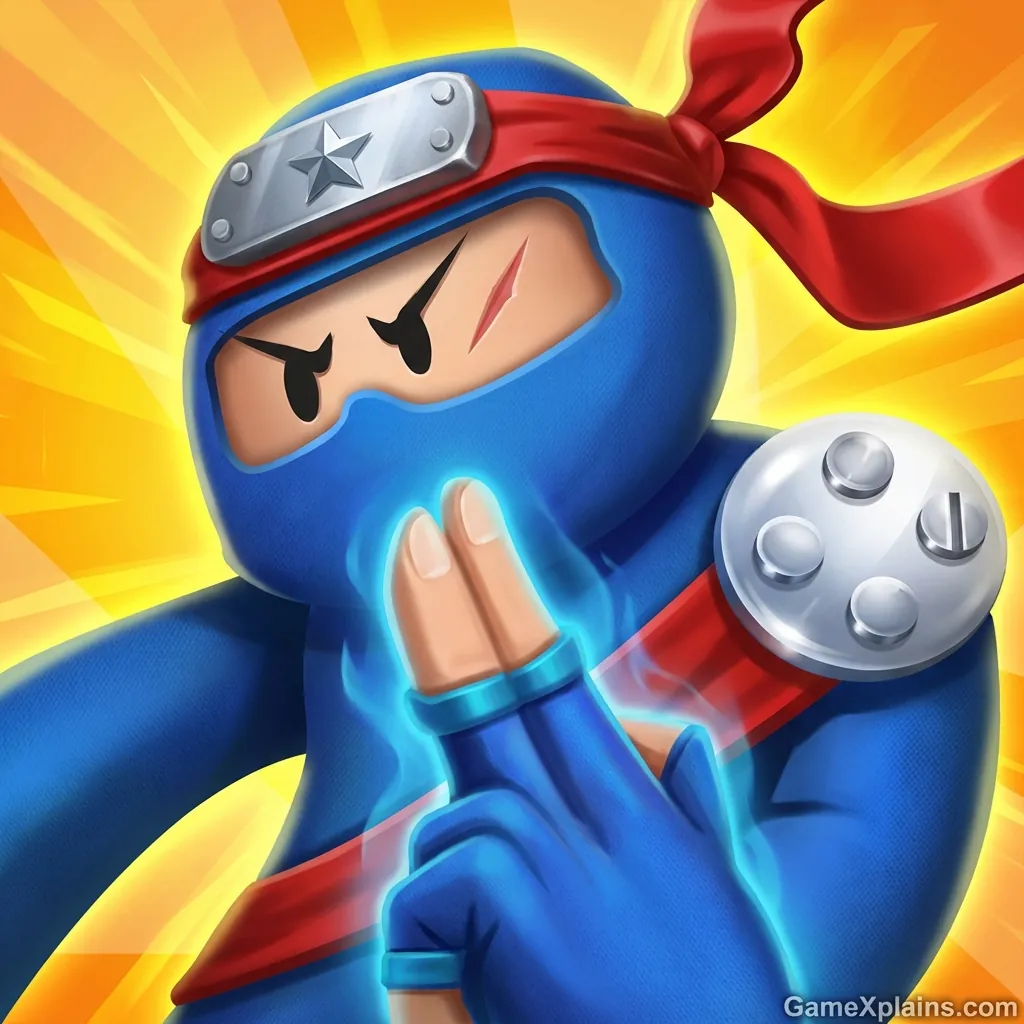
About This Game
Ninja Hands: Play + Guide
1) Introduction
Ninja Hands is a fast, reactive action game built around quick spell-casting gestures and split-second target priority. Your goal is simple: clear waves of enemies before they reach you, using the right hand sign at the right time. The fun comes from the timing window and risk-reward choices, like saving a powerful cast or spending it early to stay safe.
The skill curve is mostly mechanical: you get better by recognizing patterns and keeping a steady casting rhythm. Experience cue: if your hands start “mashing” and you miss two casts in a row, stop for one beat, re-align your cursor or finger, then resume with your easiest sign first. That reset prevents panic chains that usually end the run.
Play Now: Jump in and practice the first three hand signs until you can chain them without looking at the UI.
If you are playing in a browser, Ninja Hands is typically presented as an HTML5 game that runs instantly with no download on modern devices.
2) Key Features
Gesture-style casting that rewards clean timing more than frantic tapping.
Wave pacing that ramps difficulty by mixing enemy types and approach speeds.
Simple upgrade choices that create real tradeoffs between safety and burst damage.
Clear fail condition that teaches positioning and priority rather than grinding.
Short sessions that work well as an online/browser game for quick retries.
Visual cues for cast readiness, so you can plan instead of guessing.
3) What is Ninja Hands?
At its core, Ninja Hands is an action defense loop: enemies advance toward your position while you cast spells by completing specific hand signs. When you match the correct sign, the game triggers the spell effect and you buy time, thin the crowd, or stop a threat before it becomes unmanageable.
The tactical dynamic comes from reading the screen and deciding what matters most right now. In most versions, basic enemies are meant to be cleared efficiently, while sturdier or faster threats push you to swap spells quickly. What makes Ninja Hands different from many wave games is that execution and recognition matter as much as upgrades, because mistimed inputs can waste your best tools.
Most versions lean on three practical pillars: a small spell kit with distinct roles (single-target removal, area control, and “stop the rush” tools), a cooldown or cast-readiness rhythm, and enemy behavior that forces you to switch priorities. Even when the UI changes, you are usually solving the same problem: keep the closest threats off you while still thinning the overall wave.
If you are searching for Ninja hands online, expect the gameplay to feel like a reaction test with a light progression layer. If you have seen Ninja Hands Poki listings, the loop is usually the same: quick waves, quick resets, and a focus on getting cleaner at the cast sequence.
4) How to Play
Your objective is to survive the incoming waves by casting the correct spells before enemies reach you. You typically lose when an enemy closes the distance and hits you, or when your health/defense meter runs out (the exact UI can vary by version). Winning a run usually means clearing a set of waves, beating a boss wave, or lasting as long as possible for a higher score.
Progression, when present, is usually light: you may earn currency from runs to unlock upgrades, improve starting stats, or access new spell signs. Some versions also include cosmetic unlocks.
Common mistakes to avoid early:
Over-committing to long gestures while a fast enemy is already close.
Using your strongest cast on a lane that was already safe.
Staring at one target and ignoring a second lane building behind it.
Experience cue: if a lane looks quiet, glance at the other lanes before you upgrade or cast, because waves often stagger spawns. If you are looking up Ninja hands download options, keep in mind that mobile builds can include additional menus, while browser builds usually keep the loop tight and restart-focused.
Controls (Table)
Action | Mouse and Keyboard (typical browser) | Touch (typical mobile) |
|---|---|---|
Aim or select target | Move cursor to hover a lane or enemy | Drag finger toward target area |
Cast a hand sign | Click or hold to complete the sign gesture | Tap and hold, then trace the sign |
Confirm cast timing | Release at the cue or when sign completes | Lift finger at the cue or completion |
Use special or ultimate | Press a hotkey if shown, often Space | Tap the special button if shown |
Pause or menu | Esc or on-screen icon | On-screen pause icon |
Experience cue: If your cast triggers but the enemy keeps moving, you usually released too early. Slow down and finish the gesture cleanly.
5) Core Gameplay Mechanics
1) Main system
When you perform the correct hand sign, the game converts your input into a spell that hits a target or an area. When you mis-input or release outside the timing window, the spell either fails or fires weakly, which costs you tempo. Your job is to keep the wave under control by consistently completing signs that match what the current situation demands.
2) Tactical dynamics
When faster enemies appear, do not tunnel on the biggest threat first. Clear the closest fast target to protect your reaction budget, then return to high-value targets. When the screen gets crowded, choose spells that reduce the number of active threats quickly rather than single-targeting everything. This keeps your timing window calm and prevents chain hits.
3) Progression and scaling
When waves advance, difficulty usually ramps by shrinking your decision time, adding mixed enemy behaviors, or increasing the number of simultaneous lanes. If upgrades are offered, the best picks are often the ones that stabilize your early waves (cooldown reduction, reliable damage) before you chase high burst. Later waves tend to punish sloppy inputs more than low stats.
4) Key elements
Watch for cast readiness cues, enemy windups, and lane crowding. Treat your strongest spell as a resource, not a panic button: spending it into a nearly empty lane is often wasteful. Fail states are usually contact damage and overwhelm, so every second you buy with clean casts matters.
If the game shows different enemy silhouettes or colors, use them as your mental shorthand. For example, a smaller, quicker unit is usually a “tempo tax” that you should remove immediately, while a bulky unit is a “planning test” that you can chip down between urgent clears. You do not need perfect memorization, just a consistent rule that you follow every wave.
Decision Flow (Quick Win Rule)
Are fast enemies near you? Yes -> Clear closest fast target -> Re-center -> Resume rotation No -> Is the screen crowded? Yes -> Use area control spell -> Rebuild spacing -> Save burst No -> Build damage rhythm -> Hold special -> Avoid greedy casts
6) Strategies
Clean Gesture First
Slow down your hand sign completion until you can hit it consistently, then speed up. Accuracy keeps your tempo stable, which matters more than one extra cast per wave. Warning: rushing inputs often causes a string of failed casts that snowball into a loss.
Threat Priority Swap
Always clear the nearest fast unit before you commit to a tanky enemy. This prevents sudden contact damage and protects your reaction window. Warning: if you chase a big target while a fast unit slips in, you usually cannot recover in time.
Burst on Breakpoints
Use your highest-damage spell when it removes a threat immediately, not just because it is ready. Breakpoints are moments where one cast turns a dangerous lane into a safe one. Warning: bursting too early can leave you helpless on the next mixed wave.
Crowd Control Rhythm
When the screen starts filling, rotate into area control, then return to efficient single-target cleanup. This creates breathing room and reduces the chance of multiple enemies reaching you at once. Warning: staying on crowd control too long can be inefficient if only one target remains.
Upgrade for Stability
If you get upgrade choices, prioritize options that make your baseline casts more reliable: cooldown reduction, consistent damage, or safer timing. Stable runs reach late waves more often than glass-cannon runs. Warning: stacking only damage can backfire if you still miss inputs under pressure.
Lane Awareness Drill
Practice scanning lanes every cast: left, center, right, then decide. This turns chaos into a repeatable pattern and prevents tunnel vision. Warning: staring at one lane is the fastest way to miss a flanking fast enemy.
Experience cue: If you start “double casting” the same sign by accident, take a half-second pause after each successful cast to reset your rhythm.
7) Similar Games
8) FAQ
Is Ninja hands free?
In most browser listings, Ninja hands free access is common, meaning you can start playing without paying up front. Some versions may include optional ads or in-game boosts, especially on mobile. If you want the simplest experience, try a quick run first and see how upgrades are presented.
Is there Ninja hands 2?
Yes, Ninja hands 2 is often used to refer to a follow-up entry or a variant listing with similar spell-casting and wave defense. The exact differences depend on where you play, but sequels typically add more hand signs, enemy variety, or additional upgrade paths. Expect the core loop to stay familiar.
What is the Ninja Hands game about?
The Ninja Hands game is about stopping enemies before they reach you by casting spells through hand sign inputs. You win by clearing waves and maintaining control of the screen. You lose when enemies close the distance and you cannot recover tempo. Improvement comes from cleaner gestures and smarter priority.
Can I do a Ninja hands download for PC?
A Ninja hands download for PC is not always necessary because browser builds are typically designed to run with no download. If you see a download option, it may be a mobile app listing, an emulator route, or a platform-specific build. For safety, only download from reputable stores or publishers.
Can I play Ninja hands online in a browser?
Ninja hands online play is commonly available through web portals that host HTML5 game versions. That means you usually launch in a tab and restart quickly after a loss. Performance can depend on your browser and device, so close heavy tabs if inputs feel delayed or inconsistent.
Are Ninja Hands 3 and other versions real?
Ninja Hands 3 is sometimes used in search results as a label for updates, fan listings, or third versions, but availability varies widely. If you cannot find a consistent store page or reputable host, treat it as a naming variation rather than a guaranteed sequel. Focus on the version you can verify.
Experience cue: If enemies feel “unfairly fast,” it is often input lag. Try a different browser, disable battery saver, and reduce background tabs.
9) Technical
Ninja Hands is commonly presented as an HTML5 game (and may use WebGL for effects), which makes it a good fit as an online/browser game on Chrome, Firefox, Safari, or Edge. Most mid-range devices should run it smoothly, but gesture recognition benefits from stable frame rate.
For browser play, you can usually start with no download, using mouse input for aiming and click-hold-release patterns for casting. On mobile, touch controls often mirror the same idea with tap, hold, and trace gestures. If the game feels inconsistent, lower your device load and avoid playing in power-saving mode.
Typical baseline requirements for smooth play:
Browser: a recent version of Chrome, Edge, Firefox, or Safari
RAM: 4 GB or more is usually fine for a single-tab HTML5 game
Input: a responsive mouse, trackpad, or touch screen helps gesture accuracy
Network: many portals load assets online, so a stable connection reduces stutter
If you notice delayed casts, try windowed mode, disable heavy extensions, and avoid streaming video in another tab.
10) Final Verdict
Ninja Hands succeeds when you treat it like a timing and priority game, not a pure upgrade grind. The biggest strengths are the readable cues, short retry loops, and the satisfaction of getting cleaner at the hand signs. The main limitation is that some versions can feel input-sensitive, so performance and rhythm matter.
Who it is for: players who like quick action loops, reaction games, and mastery-based progress where you can feel improvement in a few runs. Who might bounce off: players who prefer long, story-driven sessions or deep buildcraft, since the core appeal is execution and pacing rather than complex systems.
If you want more fast, reflex-forward games like this, check Arcade.
If you prefer quick mastery challenges, explore Skill.
If you want a fast action pick that works well as an online/browser game and rewards practice, Ninja Hands is worth a few focused runs. Play another session and aim for smoother casts rather than faster ones.
Comments (0)
No comments yet. Be the first to share your thoughts!