PolyTrack
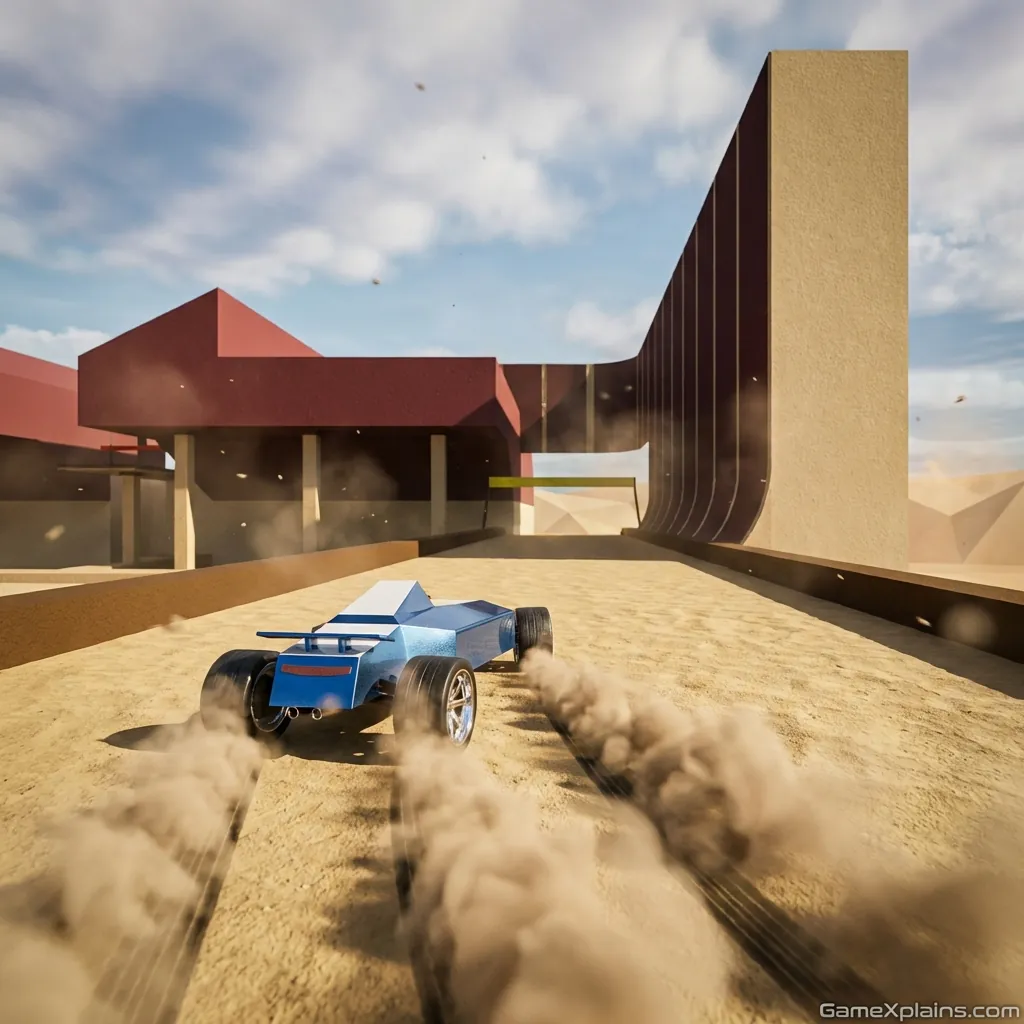
About This Game
PolyTrack
1. Introduction
PolyTrack is a time trial racing game built around quick restarts, clean driving lines, and shaving tenths off your best run. It feels like a practical skill test: you learn one corner, one jump, one landing, then link it all together for a faster finish. If you like racing that rewards repetition and precision, this online/browser game is a strong fit.
Play Now: Load the game in your browser and start with a short track to learn the handling.
On most sites it runs as an HTML5 game (it may use WebGL for 3D), so you can usually jump in with no download when playing in-browser.
2. Key Features
Time trial focus where tiny steering errors cost seconds, not just style points.
Quick restart button encourages iteration, testing lines, and improving consistency.
Low poly visuals keep the track readable during jumps, loops, and tight chicanes.
Track editor and sharing tools that support creative Polytrack tracks and remixes.
Leaderboards and self-competition loop that rewards clean runs over risky crashes.
Works as an online/browser game on modern desktops and many mobile browsers.
3. What is PolyTrack?
PolyTrack is a free racing game built around a simple loop: pick a course, drive to the finish as fast as you can, then restart to beat your own time. Most versions lean into “learnable difficulty” where the track layout is the puzzle, and the car physics are the tool you master.
The tactical dynamic is all about risk management. You can push speed into a corner or over a jump, but the punishment for a bad angle is a bounce, a spin, or a reset that erases your run. What sets it apart from many arcade racers is the editor and the community sharing loop, including importable track codes in some builds.
4. How to Play
Your goal is straightforward: complete the track as fast as possible, then improve your time through cleaner lines and smoother landings. The typical fail state is not “game over,” it is losing a run to a crash, a spin, or a slow recovery. The game wants you to restart and try again, which is why PolyTrack play sessions often feel like short practice drills rather than long races.
Controls (Quick Reference)
Action | Keyboard | Notes |
|---|---|---|
Steer / accelerate / brake | WASD or Arrow Keys | Steering is sensitive, use small corrections. |
Restart run | R or Enter | Use restart to learn one section at a time. |
If you see mentions like PolyTrack poki, it usually means you can play it on a browser portal. For some releases there is also a PolyTrack download option on PC through the developer’s distribution pages, so “no download” depends on where you play.
Progression is mostly skill based: you progress by improving times, unlocking personal consistency, and (in many builds) trying new tracks, including community creations. If you are on a PolyTrack beta build, features like profiles, editors, or import tools may be organized differently than on a main release.
5. Core Gameplay Mechanics
1) Main system
When you press for a faster time, the game rewards smooth inputs and punishes over-correction. The car keeps momentum through turns, so a single late steer can push you wide and force a slow save. Treat each track like a sequence of “commit zones,” where you pick an entry speed, hold a line, and exit cleanly toward the next gate.
2) Tactical dynamics
When you spot a loop, ramp, or sharp direction change, set your car up earlier than you think. A good setup means you arrive straight enough to land stable, not sideways. If your car snaps after a landing, reduce steering during airtime and correct only after the wheels bite. That keeps you from pinballing into walls.
3) Progression and scaling
When you move from beginner tracks to tougher layouts, the difficulty ramp typically comes from chaining elements: a jump into a turn, a turn into a loop, then a landing that demands immediate alignment. Your time gains shrink as you improve, so the game shifts from “finish cleanly” to “save milliseconds” by minimizing drift and unnecessary steering.
4) Key elements
When hazards appear, they are usually indirect: narrow lanes, wall geometry, and speed elements that punish poor angles. Your main resource is time, and your main timer is the clock on the run. A run fails in practice when you lose speed, bounce off barriers, or require a full stop to recover.
Decision Flow (Quick Win Rule) Start run Is the next section a jump or loop? Yes -> Enter straight -> Minimal steering mid-air -> Land -> Correct gently No -> Is the corner tight? Yes -> Brake early -> Turn once -> Exit wide-open throttle No -> Hold center line -> Small taps -> Save speed
6. Strategies
Corner Budgeting
Pick one conservative corner per run and drive it “clean first.” Why it works: it stabilizes your overall pace, so later you can push the risky sections with confidence. Warning: if you go too cautious everywhere, you never learn the true limit.
Restart for Reps
Use restart as a training tool, not a failure button. Drive one hard section until you can clear it three times in a row. Why it works: time trial games reward consistency more than one lucky run. Warning: do not restart instantly, finish the run occasionally to practice endurance.
Straighten the Jump
Approach ramps with a plan to land straight. If the car yaws mid-air, stop steering and wait for the wheels to touch down before correcting. Why it works: sideways landings bleed speed and cause chain crashes. Warning: on some ramps, a tiny pre-aim is required, do not over-fix.
Ghost Pace Mentality
Race your own benchmark rather than chasing a perfect run. Split the track into “green zones” where you are already fast, and “red zones” where you lose time. Why it works: targeted improvement beats random attempts. Warning: do not grind a bad line, change your entry angle deliberately.
Use the Editor Intelligently
If you use the editor, build practice pieces: one tricky jump, one tight S-turn, one landing corridor. Why it works: you create a controlled environment to learn handling, then transfer the skill to real tracks. Warning: overly chaotic editor tracks teach panic steering, not precision.
Safe Speed, Then Speed
Run at 80 percent until you can finish without major saves, then raise speed in small steps. Why it works: stability gives you more learning per minute, which is the real currency of a free racing game. Warning: if you never “stress test,” you will plateau.
7. Similar Games
Formula Speed, open maps, stunts, and free driving experimentation.
Escape Road, short obstacle levels that punish sloppy throttle control.
Drift Hunters, drift scoring and tuning focus, less strict time trial pressure.
If you want more physics-forward driving challenges, explore Physics.
If you prefer quick runs with simple goals, explore Arcade.
8. FAQ
What happened to PolyTrack?
PolyTrack is still available in multiple places, but builds and links can change depending on where it is hosted. Some players refer to shifts between a main release and a PolyTrack beta site, which can make it feel like it moved. If a link stops working, try the developer’s official pages or major browser portals.
Is PolyTrack like TrackMania?
Yes, it is commonly described as being inspired by TrackMania because it focuses on time trials, fast restarts, and optimizing lines through technical tracks. The key difference is that PolyTrack often emphasizes a low poly style and a built-in editor and sharing workflow, depending on the version you play.
What can you play poly track on?
You can typically play it as an online/browser game on desktop browsers, and some portals support mobile play as well. There is also a downloadable build on some distribution pages, which is useful if you want offline access. If performance feels rough, lower graphics options if available and close other tabs.
Is PolyTrack safer for horses than dirt?
No, that question is about real horse racetrack surfaces, not this video game. PolyTrack is a digital racing game, so it does not relate to injuries, traction, or safety for animals. If you meant real “polytrack” surfaces in racing, check equestrian sources, since the answer depends on track design and maintenance.
Does Polytrack fun come from speed or building?
Both, depending on how you approach it. Polytrack fun usually starts with beating your own times, then grows when you begin experimenting with the editor and sharing Polytrack tracks with friends. If you bounce between driving and building, you avoid burnout and you learn why certain jumps and turns feel “fair.”
What is Kodub PolyTrack?
Kodub is the developer name attached to the game on official pages and portals. When someone says Kodub PolyTrack, they usually mean the original project rather than a rehosted copy. If you are looking for safer, up-to-date builds, start with the developer’s pages and then choose where to play from there.
9. Technical
PolyTrack is commonly offered as an HTML5 game and may use WebGL for 3D rendering, which is why it runs best on up-to-date Chrome, Firefox, Safari, or Edge. A mid-range laptop or modern phone should typically handle it, but heavy track editor scenes can be more demanding.
If you are playing via a browser portal, it is usually no download: you load the page and start racing. If you choose a downloadable build, you will download and run it locally, which can help if you want offline practice. Either way, the controls are keyboard-first, with quick restarts being a core quality-of-life feature.
10. Final Verdict
PolyTrack works best for players who enjoy time trials, fast repetition, and visible improvement over dozens of short runs. Its strengths are clarity, quick resets, and the creative outlet of making and sharing tracks. Its limits depend on version and platform, since features and polish can vary between portals and beta builds.
If you want a free racing game you can load as an online/browser game with no download, it is easy to recommend for quick sessions. If you prefer long campaigns or AI championships, you may want something more traditional. Either way, start with one track, restart often, and focus on landing straight.
Comments (0)
No comments yet. Be the first to share your thoughts!