Sprunki
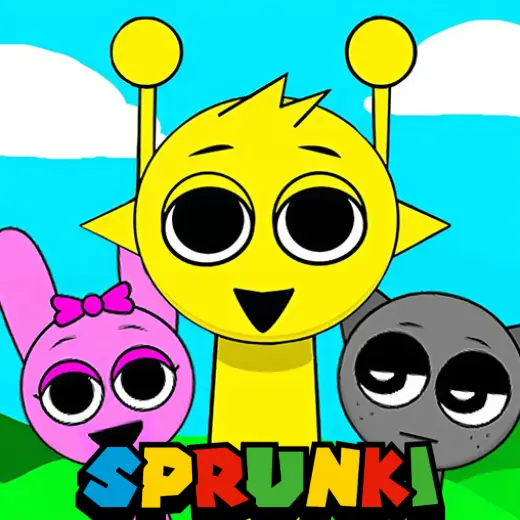
About This Game
Sprunki: Play + Guide
1. Introduction
Sprunki is a rhythm and remix focused online/browser game where you build a track by combining character sounds into a looping beat. The fun comes from experimenting fast, then refining your mix so the loop stays clean and intentional instead of noisy.
Play Sprunki now and start by placing just 2 to 3 sounds, then add one element at a time.
Because Sprunki is typically presented as an HTML5 game (and may use WebGL for visuals), it should run directly in modern browsers on desktop and mobile with no download in most web versions.
2. Key Features
Drag-and-drop sound layers that snap into a looping rhythm with quick iteration.
Clear feedback when a mix gets crowded, helping you learn spacing and timing discipline.
Character-based parts that function like instruments, vocals, or percussive accents.
Remix-first progression where discovery is the reward, not a long grind.
Short sessions that still support deep refinement through layer balancing.
Variants and community versions like Sprunki Retake that may tweak content and presentation.
3. What is Sprunki?
Sprunki is a music-mixing game built around a simple loop: pick a character, assign it a sound, and stack parts until the loop feels complete. The tactical dynamic is restraint. The game rewards players who can identify what the mix is missing and add only that, rather than filling every slot.
What differentiates Sprunki from many rhythm games is that your main challenge is arrangement, not perfect note hits. You are effectively doing micro composition: building a groove, carving space for vocals or lead parts, and then polishing transitions so the loop stays satisfying. If you are searching for Sprunki Incredibox style play, the core appeal is similar: quick audio layering with immediate payoff.
4. How to Play
In most versions, you play by choosing characters (or slots) and assigning sound icons to them. Each assignment adds a looped element to the track. Your goal is to create a cohesive loop that feels balanced and intentional.
Win condition: There usually is not a traditional win screen. Success is producing a loop you like, unlocking a sequence, or triggering an alternate animation when certain combinations are active.
Fail state: The most common failure is practical: the loop becomes muddy, off-balance, or fatiguing. If your mix starts to feel harsh or chaotic, treat that as your signal to remove parts and rebuild.
Progression: Many versions reveal content through experimenting with combinations. Some community builds label sets as phases such as Sprunki Phase 3, Sprunki Phase 4, or Sprunki Phase 5. Availability can vary by version, so treat “phases” as a naming convention rather than a guaranteed in-game ladder.
Controls (typical web version)
Action | Keyboard/Mouse | Touch |
|---|---|---|
Add a sound to a character | Drag and drop with mouse | Drag and drop with finger |
Remove a sound | Click the active icon or character slot | Tap the active icon or slot |
Mute or isolate parts (if available) | Click mute/solo buttons | Tap mute/solo buttons |
Restart or clear mix | Click reset/clear | Tap reset/clear |
Experience cue: If the kick or main beat feels weak after you add vocals, remove one mid layer first, not the drums.
5. Core Gameplay Mechanics
1) Main system
When you assign a sound to a character, the game loops that part in sync with the global tempo. When you add more characters, you are stacking layers that share the same loop length, which is why timing stays locked while the texture changes. The best mixes typically use a small core and a few accents.
2) Tactical dynamics
When you hear two parts competing in the same frequency range (for example, two busy mid sounds), remove one and replace it with a simpler accent. When a vocal or lead enters, keep the backing rhythm stable so the lead feels intentional. If the loop feels repetitive, swap one element rather than adding a new one.
3) Progression and scaling
When you move across phases or variants, patterns often evolve by offering more complex parts, denser percussion, or more dramatic vocal hooks. The difficulty is not speed but arrangement: more options makes it easier to overfill the loop. As you explore versions like Sprunki 2 or Sprunki Pyramixed, expect different sound palettes and combination outcomes.
4) Key elements
Key elements are your limited character slots, the balance between drums, bass, mids, and lead parts, and any hidden combo triggers. Hazards are clutter and masking, where one sound makes another feel weaker. The practical fail state is ear fatigue: if the loop feels tiring after 10 to 15 seconds, simplify.
Decision Flow (Quick Mix Rule) Is the beat clear? Yes -> Add one accent -> Recheck balance No -> Remove busiest mid -> Recheck beat Do vocals dominate? Yes -> Lower layer count -> Keep drums steady No -> Try one lead swap -> Stop when it feels complete
6. Strategies
Two Layer Start Begin with one drum foundation and one bass or pulse layer, then listen for a full loop cycle before adding anything else. This works because it establishes the groove and exposes what is missing. Warning: if you start with vocals, you will often chase balance instead of building it.
One In, One Out After you reach three to four layers, enforce a rule that every new addition replaces an existing part. It works because it prevents clutter and forces intentional choices. Warning: do not replace the foundation beat unless you are also simplifying other layers immediately.
Lead Space Carving When you want a standout hook, remove one mid-heavy part first, then add the lead so it has room. It works because masking is the fastest way to make a lead feel dull. Warning: if you cut too much, the track can feel empty between lead phrases.
Rhythm Anchor Check Every time you add a decorative sound, confirm the kick or main rhythm still feels like the track’s anchor. It works because listeners lock onto a stable pulse, especially in looped mixes. Warning: if you keep adjusting drums, you can lose consistency and over-edit.
Contrast Pairing Pair one busy, textured part with one simple, steady part instead of stacking multiple busy layers. It works because contrast creates clarity and prevents fatigue. Warning: two “simple” parts can also feel flat, so use a single accent to add motion.
Combo Testing Pass When exploring a new build like Sprunki Retake, run a quick test pass: build a minimal groove, then swap only one slot through multiple options. It works because you learn the palette fast. Warning: random swapping across all slots can make every attempt feel inconsistent.
Experience cue: If the loop sounds good until the last second, the problem is usually one overactive accent, not the main beat.
7. Similar Games
If you want more content like this beyond the main category, explore FNF Mods.
For more fast reaction challenges that still reward practice, try Skill.
8. FAQ
Why was Sprunki taken down?
It was taken down in some places because many versions of Sprunki are community hosted or redistributed, and takedowns can happen due to ownership, music rights, or platform policy issues. If a page disappears, it does not always mean the game is gone everywhere, just that a specific listing was removed.
What does Sprunki mean?
Sprunki usually functions as a title or label rather than a standard dictionary word. In fan communities, it can refer to a specific style of remix characters, sound sets, or “phases.” If you see it used differently across sites, that is normal for community-driven naming and remix culture.
Can I play Sprunki for free?
Yes, you can typically play Sprunki for free in an online/browser game format on many sites. Whether it is free can depend on the host, ads, or optional purchases. If a version asks for payment to access basic play, consider checking another reputable host.
Is Sprunki Phase 3 a thing?
Yes, Sprunki Phase 3 is a thing in the sense that many community versions use “Phase” labels to organize sound packs and themes. However, phases are not always an official, universal progression. One site’s Phase 3 can differ from another’s content or naming.
Is Sprunki 2 different from the original?
Sprunki 2 is usually presented as a follow-up or a variant with a different set of sounds, visuals, or combos. The core loop tends to stay the same, but the palette changes, which affects how you build clean mixes. If it feels harder, it is often due to denser parts.
What are Sprunki Phase 4 and Sprunki Phase 5?
Sprunki Phase 4 and Sprunki Phase 5 commonly refer to later labeled packs or remixes that add new characters, more aggressive sound textures, or different moods. Treat them as separate sound libraries. If you get clutter fast, limit yourself to three layers before adding a lead.
9. Technical
Sprunki is commonly offered as an HTML5 browser game (and may use WebGL), which means it typically runs in Chrome, Firefox, Safari, and Edge without installing anything. Most mid-range laptops and phones should run it smoothly, but performance can vary by host site and version.
Audio responsiveness matters more than graphics. If you notice delayed sound starts, close extra tabs, disable heavy extensions, and avoid Bluetooth headphones when possible. Controls are usually mouse and keyboard on desktop and touch on mobile. In most web builds, you can play with no download.
Experience cue: If taps feel ignored on mobile, zoom the page to 100% and try dragging slower, some browsers misread fast swipes.
10. Final Verdict
Sprunki is best for players who enjoy building loops, testing combinations, and improving mix clarity rather than chasing perfect note timing. Its strengths are speed of experimentation and the satisfaction of a clean, balanced loop. Its limits are version inconsistency and the fact that “phases” and features can vary across hosts.
If you like the creative side of FNF adjacent music play, Sprunki is a solid online/browser game to keep in rotation. Try a short session, aim for four layers max, and stop adding parts as soon as the loop feels complete.
Comments (0)
No comments yet. Be the first to share your thoughts!