Dragon Simulator 3D
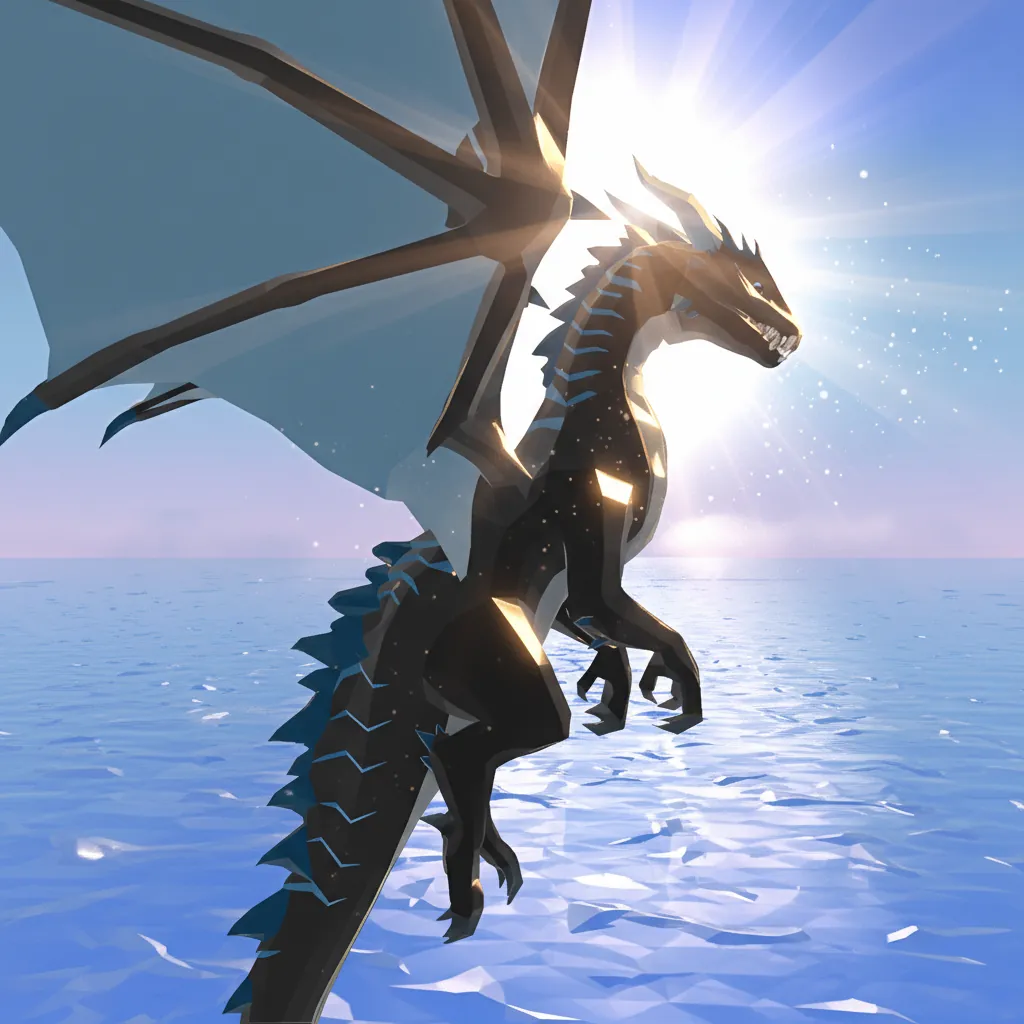
About This Game
Dragon Simulator 3D Play Online and Guide
1. Introduction
Dragon Simulator 3D is a creature sandbox where you roam a 3D world, complete tasks, and manage fights like a flying predator. The fun comes from balancing exploration, hunting, and aerial movement without getting cornered by tougher enemies.
Play Now: Jump into Dragon simulator 3d online when you want a quick loop of exploring, battling, and upgrading.
Most browser builds play like an HTML5 game (often with WebGL for 3D rendering), so performance depends on your device and browser settings.
2. Key Features
Free-roam 3D map with ground combat, flight paths, and predictable danger zones.
Missions and roaming targets that push you into new areas and riskier fights.
Bite and breath-style attacks that reward timing, spacing, and short burst damage.
Upgrade loop that improves survivability, damage, and mobility over repeated runs.
Camera control and movement that make positioning feel as important as raw stats.
Multiple play styles, from careful scouting to aggressive ambush and chase.
3. What Is Dragon Simulator 3D?
Dragon Simulator 3D is a simulation-focused online/browser game where you control a dragon as the main “vehicle” of play. The core loop is simple: travel to objectives, defeat threats or collect goals, then use rewards to grow stronger so you can survive harder encounters.
The tactical dynamic is all about movement and threat selection. On the ground, you can get boxed in by fast melee enemies. In the air, you can reset fights, pick angles, and choose when to re-engage. What differentiates this from many dragon games is that flight is not just for travel, it is a positioning tool that changes your risk and your damage uptime.
If you are coming from arcade brawlers, the pacing can feel slower at first. Once you start chaining objectives, the game’s rhythm becomes: scout, commit, finish, and reset. That loop is why Dragon Simulator 3D gameplay tends to reward steady decisions over constant button mashing.
4. How To Play
Your goal in most versions is to complete missions, defeat enemies, and stay alive long enough to earn upgrades. You typically “lose” when your health hits zero during a fight, or when you overcommit into multiple threats without a safe escape line.
Progression usually comes from earning currency or points through quests and combat, then spending them on stats or unlocks (exact menus can vary by version and platform). If you are playing Dragon Simulator 3D crazy Games or Dragon Simulator 3D Poki style pages, the objective structure is often mission-based with free roam between tasks.
Controls (Typical PC and Touch)
Action | Keyboard and Mouse (Typical) | Touch (Typical) |
|---|---|---|
Move | WASD | Virtual joystick |
Camera | Mouse move | Swipe to look |
Attack | Left click or key bind | Tap attack button |
Special attack | Right click or key bind | Tap special button |
Jump or takeoff | Space | Tap jump or fly button |
Sprint or boost | Shift | Hold boost |
Land or descend | Key bind varies | Tap descend or land |
Pause or menu | Esc | On-screen menu |
Experience cue: If the camera keeps snapping behind you mid-fight, lower sensitivity a bit and re-center before you commit to an attack chain.
Experience cue: If you keep missing targets with your bite, stop holding forward and use short taps to stay inside the hitbox.
5. Core Gameplay Mechanics
1) Main System
When you move through the map and engage targets, the game converts safe exploration into risk-reward fights. When you defeat enemies or complete objectives, you typically earn currency or progress that lets you upgrade your dragon. The better your positioning and target choice, the more efficiently you scale without taking chip damage that forces you to retreat.
2) Tactical Dynamics
When you see multiple enemies clustering, do not commit on the ground. Gain altitude, circle once to separate the pack, then dive onto the straggler so you only tank one threat at a time. When a target tries to escape, match its direction first, then attack after you are aligned, so you do not waste your damage window.
3) Progression and Scaling
When you keep clearing early missions quickly, the game usually funnels you toward tougher zones or stronger enemies, which raises the penalty for sloppy land engagements. Upgrades reduce how often you must disengage to heal, letting you chain objectives. Difficulty scaling often shows up as faster enemies, larger groups, or higher damage bursts, not just bigger health bars.
4) Key Elements
When your health drops too low, you must create space or you will get stun-locked by repeated hits. Watch for terrain hazards like tight alleys, trees, or rocks that block your takeoff angle. Timers and mission markers can pressure you into risky routes, so plan a retreat path before you start a fight.
Decision Flow (Quick Win Rule) Low health? Yes -> Gain altitude -> Break line of sight -> Reposition -> Re-enter No -> Multiple enemies nearby? Yes -> Pull one target -> Finish quickly -> Reset No -> Objective close? Yes -> Complete objective -> Loot or reward -> Upgrade No -> Scout edge zones -> Pick easy target -> Build momentum
6. Strategies
Safe Takeoff Reset
Take off as soon as a fight turns into a swarm, then re-engage only after you see a single target separated. It works because vertical space reduces incoming melee pressure and gives you time to read threat positions. Warning: do not climb straight up near obstacles, you can lose speed and get clipped.
Angle First, Damage Second
Align your body and camera before you attack, then burst damage during the short window where your hitbox stays connected. It works because missed bites and specials waste time while enemies keep hitting you. Warning: if you chase while attacking, you often slide past the target and whiff.
Edge Zone Farming
Work the outer edges of the map to find isolated targets and safer routes between mission markers. It works because fewer enemies stack on you, so you take less chip damage and keep momentum. Warning: some versions place objectives in central danger zones, so do not overcommit to “safe” routes.
Stamina and Boost Discipline
Use sprint or boost in short bursts to maintain control, especially during flight turns and dives. It works because steady energy lets you escape when a fight goes bad, instead of burning everything on approach. Warning: if you boost into a landing, you can overshoot and lose your follow-up.
Hitbox Hugging
Stay slightly off-center to the target’s flank and “hug” the hitbox with short movement taps while attacking. It works because many enemies rotate slowly, so you reduce incoming hits while staying close enough to connect damage. Warning: large targets can still clip you, so keep a clear takeoff lane.
Upgrade for Consistency
Prioritize upgrades that reduce deaths and downtime before chasing pure damage. It works because surviving longer increases total rewards per session, which compounds progression. Warning: if a mission has a strict timer, you may need a damage bump to finish efficiently.
7. Similar Games
Cat Life Simulator 3D – Simulation d’animal du quotidien, avec exploration libre, petites missions et progression “life sim”.
Smash the Car to Pieces! – Jeu destructif court et nerveux, centré sur l’impact/les collisions et le défouloir (objectif : tout casser).
Parrot Simulator – Simulation d’oiseau avec vol, exploration et mini-objectifs dans un environnement sandbox.
Dragon Mania Legends – Dragon roster building with structured battles and upgrades.
8. FAQ
What is the initial release date of Dragon Simulator 3D?
The initial release date depends on the specific publisher and platform you are playing. Browser ports and app listings can appear on different dates. If you need the exact date, check the store listing or the game page where you found it, since versions can be re-uploaded or renamed.
How to play Dragon Simulator 3D?
You play by moving through the map, completing missions, and winning fights to earn upgrades. Start with easy targets, learn takeoff and landing, then chain objectives once you can reliably escape swarms. If you are losing often, reset fights by flying away instead of trading hits on the ground.
What are the different types of dragons in Dragon Simulator 3D?
The available dragon types vary by version. Some builds offer different skins or dragon variants that may change stats or abilities, while others keep one main dragon with upgrades. If you see a selection screen, compare mobility and survivability first, since flight control can matter more than damage.
.What are the controls for Dragon Simulator 3D?
Controls are typically WASD for movement with mouse look, plus keys or clicks for attacks and flight actions. On mobile, most versions use a virtual joystick and on-screen buttons. If something feels unresponsive, try lowering camera sensitivity and avoiding full-speed turns during attacks.
What are the reviews for Dragon Simulator 3D?
Reviews vary widely because “Dragon Simulator 3D” can refer to different listings and browser uploads. Players usually judge it on flight feel, mission variety, and how fair enemy damage feels. If you want the most accurate picture, read reviews on the exact store page tied to your version.
how to fly in dragon simulator 3d?
To fly, you usually need to jump or take off, then hold or toggle the fly control to gain altitude. Once airborne, use gentle turns and short boosts to keep control. If you keep stalling, try taking off from flat ground and avoid climbing straight up near trees or buildings.
how do you fly in dragon simulator 3d ?
You generally fly by triggering takeoff, then using directional movement plus a climb control to gain height. Start with a shallow climb, then level out to regain speed before turning. If enemies are hitting you during takeoff, back away first and take off from a safer spot.
how do you fly on dragon simulator 3d
Flying usually works best when you build a little forward speed before you climb. After takeoff, keep the camera steady and avoid hard spins until you are clear of obstacles. If the game has a descend or land button, practice landing early, because landing control affects your ability to reset fights.
9. Technical
Dragon Simulator 3D is commonly offered as an online/browser game and may run as an HTML5 game that uses WebGL for 3D scenes. In most cases, Chrome, Edge, Firefox, and Safari are the safest picks. Most mid-range devices should run it smoothly if you close extra tabs and lower in-game quality settings.
Controls are typically keyboard and mouse on desktop, and touch buttons on mobile. If you are looking for Dragon Simulator 3D download options or Dragon simulator 3d free download, app versions can exist, and those may support a dragon game offline mode. If you are playing in a browser build, it is often no download, although availability depends on the site hosting the game.
Experience cue: If your frame rate tanks during big fights, zoom the camera out slightly less and reduce shadows or effects first.
10. Final Verdict
Dragon Simulator 3D works best when you treat it like a survival-leaning creature sim: pick fights, use flight as your reset tool, and upgrade for consistency. Its strengths are the simple core loop and the satisfying risk-reward of committing to a dive versus playing safe at range. Its limits are that missions, dragon types, and balance can vary by version.
If you want a free simulation game that scratches the fantasy of being a dragon in an online/browser game, this is a solid choice, especially when you focus on movement and smart engagements. Try Dragon simulator 3d online free first, and if you prefer longer sessions, look for a version that supports saving and stable upgrades.
Comments (0)
No comments yet. Be the first to share your thoughts!