Cat Life Simulator 3D
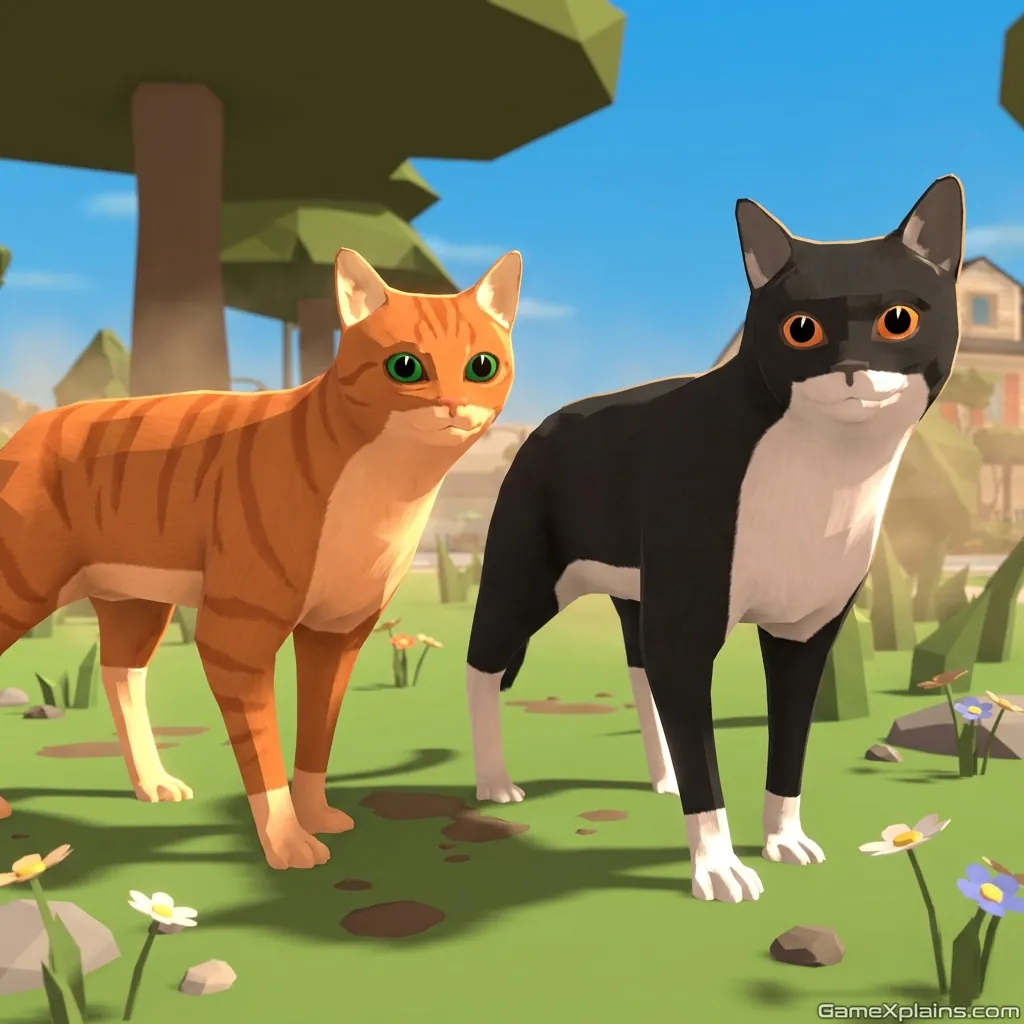
About This Game
Cat Life Simulator 3D (Play + Guide)
1. Introduction
Cat Life Simulator 3D is a light, sandbox-style online/browser game where you roleplay as a cat, explore spaces, and complete small tasks while managing basic needs. The fun comes from experimenting: what happens if you sprint everywhere, knock into objects, or ignore food too long?
Play Now: Jump into Cat Life Simulator 3D and start your first day as a cat.
Because it’s typically delivered as an HTML5 game in browsers, it usually loads quickly and runs on most modern devices.
Practical cue: If your movement feels slippery, switch to short taps instead of holding a direction.
2. Key Features
Explore neighborhood-style areas, with simple quests that teach the core loop.
Need management pushes risk-reward choices between roaming and returning to resources.
Quick interactions like jumping, sprinting, and nudging objects create emergent mini-goals.
Short sessions work well, since progress is usually task-based and repeatable.
Kid-friendly pacing, with gentle fail states in most versions of the online/browser game.
Optional unlocks and cosmetics may appear, depending on the build you’re playing.
3. What is Cat Life Simulator 3D?
At its core, Cat Life Simulator 3D is a free simulation game built around a simple loop: explore, interact, complete objectives, then return to refill needs (food, energy, or similar bars, depending on version). In most versions, you are not “winning” a match, you are building momentum through small goals and upgrades.
The tactical dynamic is about timing and routing. When you wander far from food or safe spots, you trade comfort for discovery. When you stay near resources, you play safer but progress slower. Cat Life Simulator 3D stands out from many pet sims by leaning into roaming and lightweight questing rather than strict level-by-level stages.
You may also see the title referenced as Cat Life Simulator: Devil Cat in some listings or variants. That label usually implies a themed skin or scenario set, not a completely different genre.
4. How to Play
The rules are straightforward: move your cat through the environment, interact with objects or NPC markers, and complete tasks that reward coins, XP, or unlocks (what you earn depends on the version). In this online/browser game, you typically lose progress when you run out of a key resource (often energy or health) or if a timer-based task expires.
Common objectives
Find items, reach a location, or trigger an interaction.
Earn currency by finishing tasks, then spend it on upgrades or cosmetics.
Follow a quest chain that slowly expands the map and available interactions.
Fail states you should expect
A need bar empties (hunger or energy), forcing a reset to a safe area.
You take too much damage from hazards (if the build includes them).
You miss a timed objective, which usually restarts that task.
Practical cue: If a quest marker keeps reappearing, you may need to interact at very close range, then wait for a confirmation prompt.
Controls (quick reference)
Action | Keyboard (typical) | Mouse / UI | Touch (typical) |
|---|---|---|---|
Move | WASD or Arrow Keys | Click and drag camera (if supported) | Virtual joystick or swipe |
Jump | Space | On-screen button (if present) | Jump button |
Sprint | Shift (hold) | On-screen sprint toggle | Sprint button |
Interact / Pick up | E or F | Click prompt | Tap prompt |
Camera | Mouse move (if supported) | Right-click drag (varies) | Drag to pan (varies) |
Pause / Menu | Esc | UI menu button | UI menu button |
Note: Controls vary by build. If a key does nothing, check the in-game settings or help panel.
5. Core Gameplay Mechanics
1) Main system
When you roam and interact, the game rewards you with progress triggers like quest completion, currency, or unlock prompts. When you overextend, the game pushes back through needs draining or mild hazards. The balancing act is choosing routes that let you complete objectives while staying close enough to refuel, heal, or reset safely.
2) Tactical dynamics
When you see a quest marker or interact prompt, do the action from the closest stable position, then pause briefly. Many interactions use a short timing window that fails if you keep moving. When you approach a cluttered area, slow down and angle the camera so the prompt is clearly selectable.
3) Progression and scaling
When you complete early tasks, the game typically expands options: more markers appear, new areas open, and rewards buy speed or stamina improvements. As you scale up, pacing shifts from “find the next quest” to “chain multiple objectives per trip.” You’ll feel the ramp when your sprint lasts longer and you spend less time returning to resources.
4) Key elements
Key elements usually include a stamina or energy limit, collectible currency, and hazards like falls or bumping into moving objects (depending on map design). Timers show up on certain tasks, so prioritize those first. The main fail state is resource depletion, which often resets you to a safe point.
Decision Flow (Quick Win Rule)
Low energy or hunger? Yes -> Return to food spot -> Refill -> Take nearest quest No -> Is a timed quest active? Yes -> Go straight there -> Interact -> Confirm completion No -> Sweep nearby markers -> Chain two tasks -> Then explore farther
Practical cue: If you keep missing a timed task, start it only after you’ve refilled energy.
6. Strategies
Route Before Roam
Plan a loop that hits two objectives, then returns to food or safety. It works because you reduce downtime caused by need depletion and avoid accidental resets. Warning: If the map has a vertical area, do it last, since falls often waste the whole trip.
Prompt-First Positioning
Stop moving a half-step before an interact prompt and align the camera so the prompt is isolated. This works because many UI prompts fail when multiple objects overlap. Warning: If prompts overlap, rotate the camera rather than spamming the interact key.
Short Sprint Discipline
Use sprint in small bursts instead of holding it continuously. It works because you keep reserve stamina for emergencies and timed tasks. Warning: If your stamina regen is slow in your version, sprint only on straight paths.
Safe Exploration Threshold
Explore only until your need bar hits roughly one-third, then turn back. This works because it builds a consistent “return window” that prevents surprise resets. Warning: If the game includes enemies or hazards, return earlier after taking damage.
Upgrade for Tempo
Prioritize upgrades that change pacing: stamina, move speed, or carry capacity (if available). It works because you complete more objectives per trip and reduce travel time. Warning: Cosmetics can feel tempting, but they rarely improve your objective completion rate.
Objective Chaining
Pick up a nearby quest before you finish your current one, if the game allows it. It works because you stack routes and keep your momentum. Warning: Avoid chaining two timed quests at once, since timers can conflict.
7. Similar Games
If you want more story-forward exploration, try Adventure games.
If you’re picking something younger players can jump into, browse Kids games.
8. FAQ
Why did Cat Simulator get removed?
It depends on which Cat Simulator you mean. Some older mobile listings get removed due to licensing changes, developer account issues, or store policy updates. Browser builds can also disappear when hosting changes. If you can’t find a specific version, look for reuploads from the same developer or a clearly labeled alternative.
What is the best cat simulator game to play?
The best one is the version that matches your preferred loop. If you want open roaming and light quests, Cat Life Simulator 3D is a good fit. If you want a care routine, a virtual pet style game may feel better. Check whether the build supports your preferred controls and progression.
What is the most realistic life simulator game?
The most realistic life simulators usually focus on schedules, jobs, and complex needs, which is different from most pet sims. Cat Life Simulator 3D is more playful and simplified. If you want realism, look for sims that emphasize daily routines, relationships, and long-term consequences rather than short quest chains.
How much does a cat simulator cost?
Many cat sims are free to start, especially as an online/browser game, but may include optional purchases or ads. Some premium versions are paid upfront on app stores. If you’re price-sensitive, choose a free simulation game build and treat cosmetics as optional, since they usually don’t change core progression.
9. Technical
Cat Life Simulator 3D is typically presented as an HTML5 game (and may use WebGL for 3D rendering). For browser play, Chrome, Firefox, Safari, and Edge are the usual safe choices. Most mid-range laptops and phones should run it smoothly, but 3D scenes can stutter if your device is low on memory.
If you’re playing the browser build, it’s usually no download: open the page, let it load, and you’re in. If you’re playing a mobile build, installation is handled by the store. Controls are commonly keyboard and mouse on desktop, or touch controls on mobile.
Important safety note: terms like “Cat life simulator 3d mod apk” often refer to unofficial modified packages. Those can be risky for security and may violate game terms. If you want Cat life simulator 3d free download on mobile, the safest route is using the official store listing.
10. Final Verdict
Cat Life Simulator 3D works best as a relaxed, low-pressure online/browser game where you can experiment with movement, routing, and quick objectives. Its strengths are simple controls, readable goals, and a loop that rewards steady exploration. Limits are that progression depth and realism vary a lot by version, and some builds may feel repetitive once you’ve seen the main map.
If you want a free simulation game that’s easy to pick up, this is a solid choice. If you prefer heavier management or deeper realism, you may want a different life sim. Either way, if you’re playing the browser version, it’s an HTML5 game experience with no download, so you can start quickly.
Play Cat Life Simulator 3D now and aim to chain two objectives before your first refill.
Comments (0)
No comments yet. Be the first to share your thoughts!